More like this
How to Play Market Vendor
Choose your game mode (Timed Market or Rush Hour) and difficulty.
A customer arrives at your stall with an item and hands you a bill.
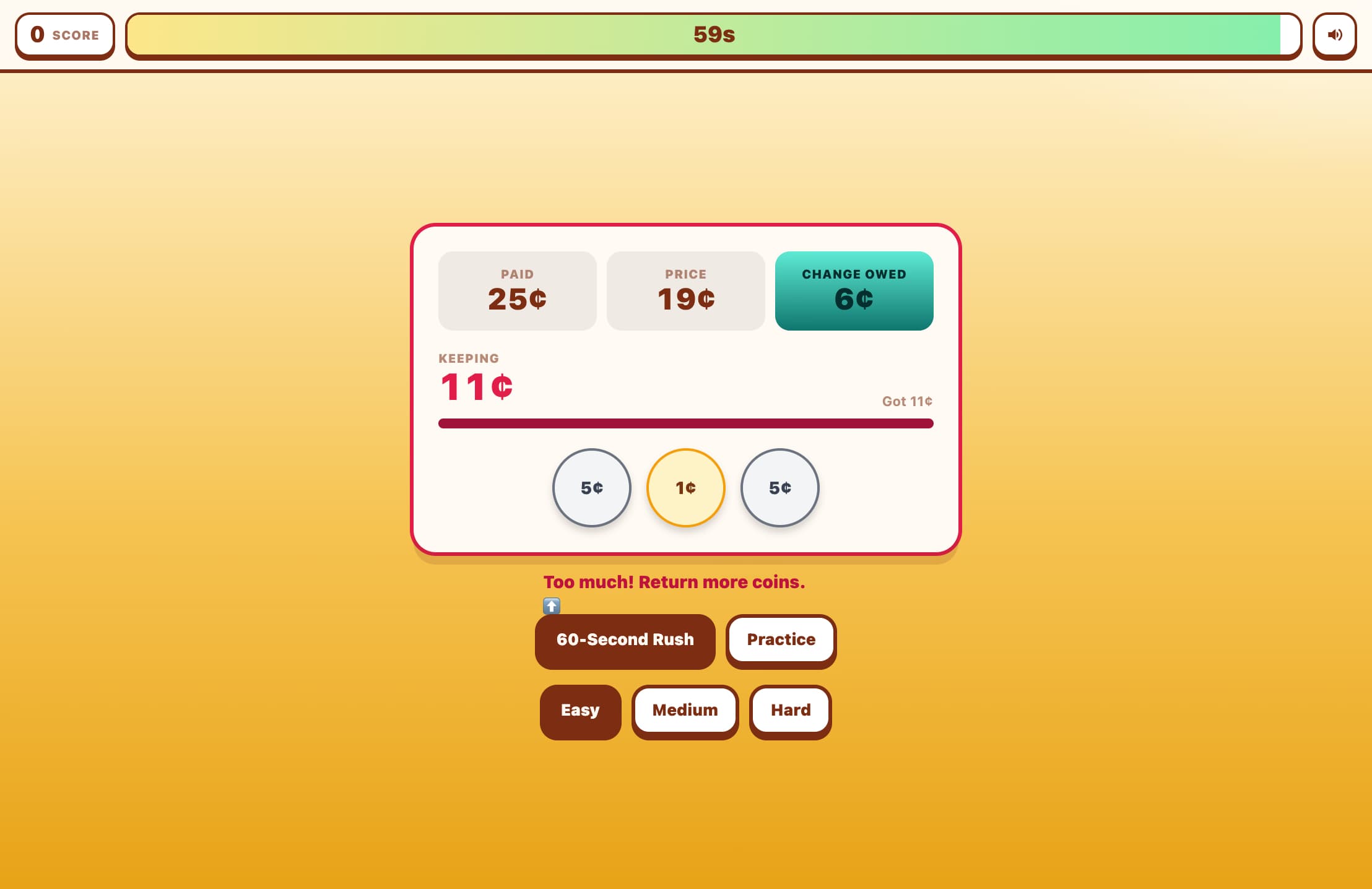
The game shows you the item's price, the bill received, and the change you owe.
Click denomination buttons (coins and bills) to build up the correct change amount.
Watch the progress bar — when it turns green and you've hit the exact amount, the customer is served!
If you give too much change, the bar turns red — click items in the change tray to remove them.
Use 'Undo' to remove the last denomination added, or 'Reset' to clear all.
In Rush Hour mode, a countdown bar shows how long you have before the customer leaves.
Key Features
Cashier Simulation
Step behind the counter — customers bring items to buy and hand over a bill. You select coins and bills to give back the correct change.
Escalating Difficulty
Easy mode uses coins only for change under $1. Medium adds the $1 coin for transactions up to $4.49. Hard introduces the $5 bill for change up to $7.99.
Two Exciting Modes
Timed Market races you to serve as many customers as possible in 60 seconds. Rush Hour gives you 3 lives with a per-customer countdown — let one go and lose a life!
Live Progress Bar
A bar fills up as you add change, turning green when you hit the target exactly. Overshoot and it turns red — remove denominations to correct yourself.
Coins and Bills
Practice with penny, nickel, dime, quarter, half-dollar, $1 coin, and the $5 bill across difficulty levels.
What is Market Vendor?
Market Vendor is a cashier-simulation game where players run a market stall and give correct change to a stream of customers. Unlike games that ask you to pay for items, this one puts you on the other side of the counter — building the correct change amount from coins and bills. The game features three difficulty levels that introduce more denomination types and larger change amounts, and two modes: a 60-second sprint or a survival challenge with limited lives.
Why Play Market Vendor?
Builds the critical real-world skill of making change qui...
Builds the critical real-world skill of making change quickly and accurately.
Reinforces understanding of coin and bill values in a dyn...
Reinforces understanding of coin and bill values in a dynamic, high-pressure context.
Covers a range from simple coin combinations to multi-bil...
Covers a range from simple coin combinations to multi-bill change-making.
Two modes cater to different play styles: speed-running o...
Two modes cater to different play styles: speed-running or careful strategic play.
The per-customer timer in Rush Hour mode mimics real chec...
The per-customer timer in Rush Hour mode mimics real checkout pressure.
Immediate visual feedback (progress bar, color coding) ma...
Immediate visual feedback (progress bar, color coding) makes mistakes easy to self-correct.
Frequently Asked Questions
What does the customer give me in each difficulty?
In Easy mode the customer always pays with a $1 bill for items under $1. In Medium they pay $5 for items costing $0.51–$4.99. In Hard they pay $10 for items costing $2.01–$9.99.
What happens if I give too much change?
The progress bar turns red and a 'Too much change!' message appears. Click any coin or bill in the change tray to remove it, or press Undo/Reset to fix your selection.
What is Rush Hour mode?
Rush Hour gives you 3 lives and shows a countdown timer for each customer. If you don't give correct change before the timer runs out, the customer leaves and you lose a life. Lose all 3 lives and the game ends.
How is the score calculated?
Your score equals the total number of customers successfully served with correct change. Each correct transaction adds 1 to your score.
Which denominations are available?
Easy: 1¢, 5¢, 10¢, 25¢. Medium adds 50¢ and the $1 coin. Hard further adds the $5 bill.
Is this game good for learning?
Yes! The cashier role is more cognitively demanding than simply paying — players must calculate the change owed and then build it from denominations, combining arithmetic and strategic thinking.