BrowserFun
CategoriesView All
© 2026 BrowserFun. All rights reserved.
Privacy PolicyTerms & ConditionsCookie PolicyDisclaimerConsent Preferences
  1. Home
  2. Tools
  3. 2D Shape Explorer

2D Shape Explorer

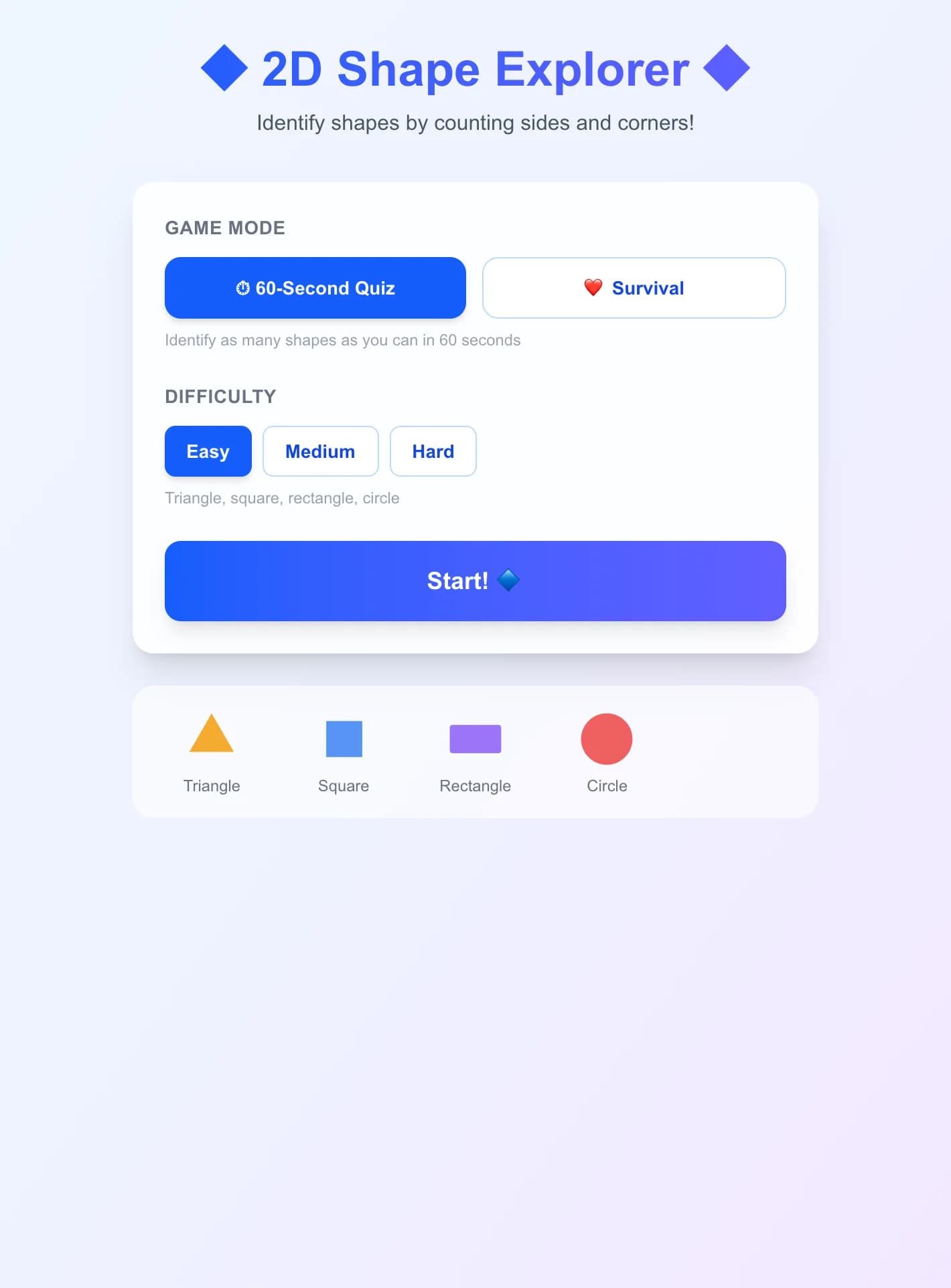
Identify 2D shapes like triangles, squares, pentagons, hexagons, and more by counting their sides and corners. Features colorful SVG shapes, multiple question types (name, sides count, corners count), and three difficulty levels.
GameMathGeometryPre-KKindergarten
2D Shape Explorer preview

  1. 1

    Select game mode: Timed (60 seconds) or Survival (3 lives)

  2. 2

    Choose difficulty to determine which shapes appear

  3. 3

    A colorful shape is displayed with its sides and corners count

  4. 4

    Answer the question: identify the shape name, count sides, or count corners

  5. 5

    Tap one of the four answer options (or press 1-4)

  6. 6

    Green feedback for correct, red for incorrect with the right answer shown

  7. 7

    Score as many correct identifications as you can!

Key Features

  • Identify shapes by name, number of sides, or number of corners

  • Colorful SVG-rendered shapes for clear visual learning

  • Three difficulty levels: basic shapes to advanced polygons

  • Easy: triangle, square, rectangle, circle

  • Medium: adds pentagon, hexagon, oval

  • Hard: adds octagon, rhombus, parallelogram

  • Timed mode (60 seconds) and survival mode (3 lives)

  • Info badges showing sides and corners count for each shape

  • Shape preview grid on settings screen

  • Keyboard shortcuts (1-4) for quick answers

What Is This?

2D Shape Explorer is a geometry quiz game where players identify flat shapes by their properties. Questions ask players to name shapes, count their sides, or count their corners. Shapes range from basic (triangle, square, circle) to advanced (octagon, rhombus, parallelogram), with clear SVG visuals and property badges.

Why Use This?

Recognizing 2D shapes and understanding their properties (sides, corners, angles) is fundamental to geometry and spatial reasoning. This game makes shape learning interactive and fast-paced, helping children build a strong visual vocabulary for geometric figures while reinforcing the relationship between a shape's name and its properties.

Frequently Asked Questions

What age group is this game designed for?

2D Shape Explorer is designed for children ages 5–9. Easy mode covers basic shapes taught in kindergarten, while hard mode introduces shapes typically covered in grades 2–3.

What types of questions are asked?

Easy mode asks 'What shape is this?' (name identification). Medium adds 'How many sides?' questions. Hard mode also asks 'How many corners?' for a complete geometry quiz.

What shapes are included?

The game includes: triangle (3 sides), square (4 sides), rectangle (4 sides), circle (0 sides), pentagon (5 sides), hexagon (6 sides), oval (0 sides), octagon (8 sides), rhombus (4 sides), and parallelogram (4 sides).

How does the game show shape properties?

Each shape is displayed as a large, colorful SVG graphic with info badges below showing the number of sides and corners. This helps players learn to associate visual properties with numeric values.

Can I play on a phone or tablet?

Yes! The game uses large tap targets and responsive SVG graphics that work great on touch screens of any size.

Related Tools

GameAll →

🃏 24 Game 🃏

The classic 24 card game! Given 4 random numbers, combine them using +, −, ×, ÷ to reach exactly 24. Every number must be used exactly once. Choose your difficulty (1–6, 1–9, or 1–13), build a streak, and beat your best time!

🔢 Sudoku 🔢

Classic 9×9 Sudoku with four difficulty levels — Easy, Medium, Hard, and Expert. Features a live timer, mistake counter, pencil notes, and 3 hints per puzzle. Beat your best time!

🧩 MathDoku 🧩

A KenKen-style arithmetic puzzle! Fill the grid with 1–N so every row and column contains each number exactly once. Each outlined cage must equal its target value using addition, subtraction, multiplication, or division. Choose from 4×4, 5×5, or 6×6 grids.

Acronym Generator

Turn any word into a creative acronym expansion! Pick a word from 42 preset options across 6 categories — or type your own — then fill in a word for each letter to build your unique acronym. Compare your creation with a built-in fun alternative.

Acrostic Puzzle – Solve Clues to Reveal a Hidden Phrase

Play acrostic puzzles where you solve word clues and the first letters of each answer spell out a hidden phrase. Features five categories, three difficulty levels, and a hint system.

Add the Animals

2 cats + 3 cats = ? Count adorable animal emoji to solve addition problems up to 10. A visual and engaging way for young learners to practice adding numbers through counting.

MathAll →

🃏 24 Game 🃏

The classic 24 card game! Given 4 random numbers, combine them using +, −, ×, ÷ to reach exactly 24. Every number must be used exactly once. Choose your difficulty (1–6, 1–9, or 1–13), build a streak, and beat your best time!

🔢 Sudoku 🔢

Classic 9×9 Sudoku with four difficulty levels — Easy, Medium, Hard, and Expert. Features a live timer, mistake counter, pencil notes, and 3 hints per puzzle. Beat your best time!

🧩 MathDoku 🧩

A KenKen-style arithmetic puzzle! Fill the grid with 1–N so every row and column contains each number exactly once. Each outlined cage must equal its target value using addition, subtraction, multiplication, or division. Choose from 4×4, 5×5, or 6×6 grids.

Add the Animals

2 cats + 3 cats = ? Count adorable animal emoji to solve addition problems up to 10. A visual and engaging way for young learners to practice adding numbers through counting.

Angle Estimator Game

Train your eye for geometry! An angle is drawn on screen using two rays from a common vertex. Estimate the angle in degrees, then lock in your answer. The closer your guess, the higher your score — within 2° earns a perfect bullseye!

Clock Tap

A clock face shows a time — pick the matching digital time from four choices. Covers whole hours, half hours, and quarter hours with a clear analog clock display featuring hour and minute hands.

GeometryAll →

Angle Estimator Game

Train your eye for geometry! An angle is drawn on screen using two rays from a common vertex. Estimate the angle in degrees, then lock in your answer. The closer your guess, the higher your score — within 2° earns a perfect bullseye!

Color & Shape Match

A gentle introduction to classification and sorting! Match objects by color, shape, or both. Find the card that follows the rule — from easy single-attribute sorting to tricky two-attribute matching with near-miss distractors.

Free Online Triangle Calculator

Calculate triangle sides, angles, area, and perimeter using our advanced triangle calculator. Supports SSS, SAS, ASA, AAS, and SSA methods with step-by-step solutions and interactive visualization.

Guess the Formula

You're shown a table of x → y pairs — your job is to identify which of four formulas generated the data. Study the numbers, spot the pattern (linear, quadratic, exponential, modulo?), and select the correct formula before time runs out. On Medium and Hard difficulties you can also 'probe' additional x values to gather more evidence.

Shape Area Challenge

Put your geometry skills to the test! A shape is drawn on screen with labeled dimensions. Calculate the area using the right formula, then enter your answer before the countdown hits zero. Correct answers earn bonus points for speed.

Shape Sorter

Drag circles, squares, triangles, and rectangles into their matching outline slots in this fun shape-sorting game. Race the clock or sort shapes across 8 classic rounds — great for early geometry and shape recognition!