Number Tracing
Trace the shape of digits 0–9 with your finger or mouse. Follow numbered guide dots, draw over the faint digit outline, then check your accuracy. Free Practice and 10-digit Challenge modes.
How to Play Number Tracing
- 1
Choose Your Mode
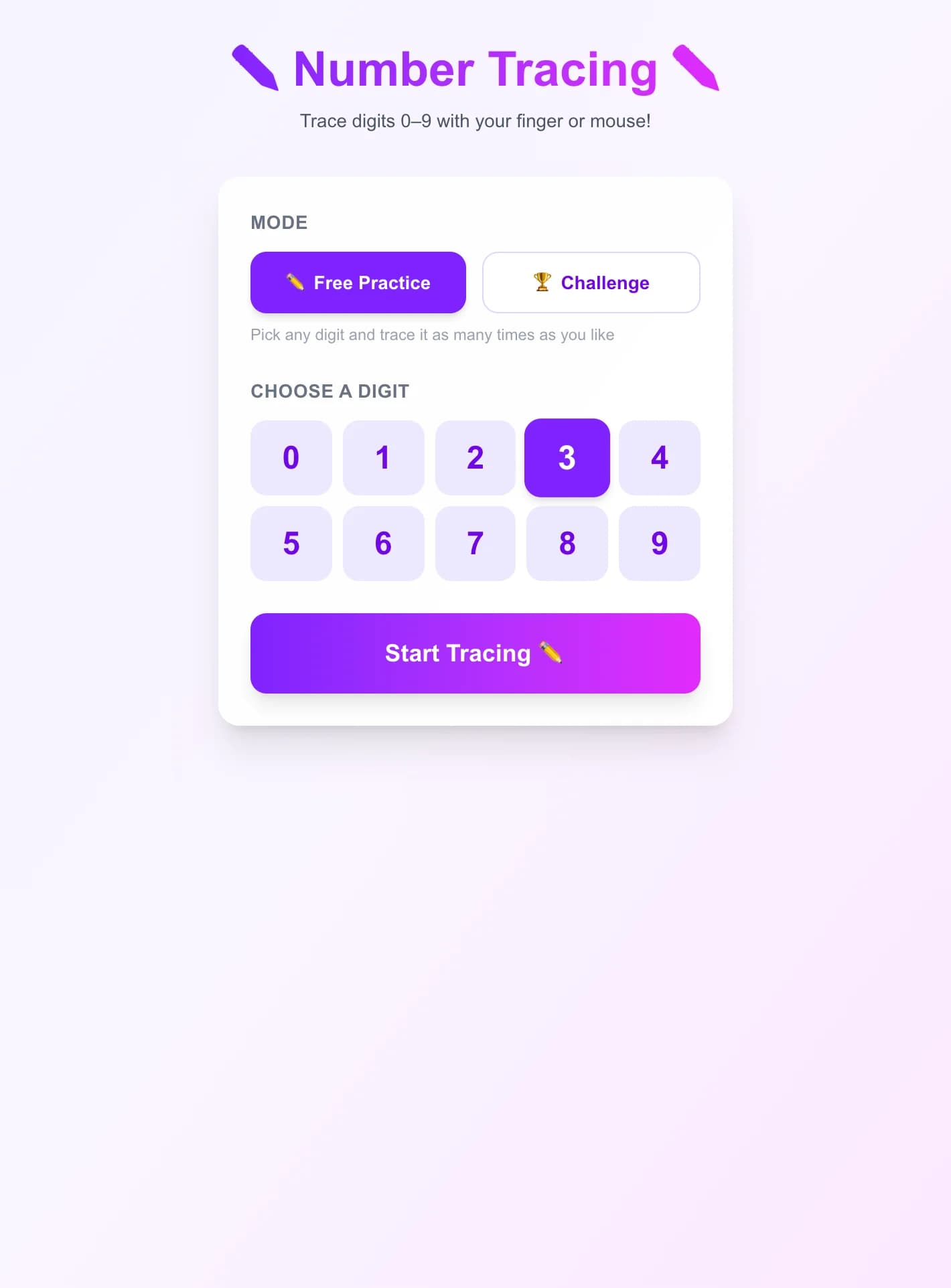
Select Free Practice to focus on a single digit, or Challenge to trace all digits 0–9 in order. In Practice mode, use the digit bar at the top to switch between digits instantly.
- 2
Read the Guide
The canvas shows a faint ghost digit as background, a dashed path connecting all waypoints, and numbered dots marking the stroke order. Start from dot 1 (the large purple dot).
- 3
Trace the Digit
Draw with your finger (touch) or mouse. You can lift and start a new stroke — all strokes count toward your score. Clear the canvas and try again anytime before you check.
- 4
Check Your Accuracy
Tap the Check button to see your score. Your traced strokes turn green if you scored 70%+ or red if below. Then tap Try Again or Next to continue.
Key Features
Canvas Tracing with Finger or Mouse
Draw directly on the canvas using a touch screen, stylus, or mouse. Multi-stroke drawing is fully supported — lift and re-draw as many times as needed, just like real handwriting practice.
Numbered Guide Dots
Each digit shows a faint ghost outline plus numbered waypoint dots that mark the natural stroke order for that digit. Follow them from dot 1 onward to build correct muscle memory.
Accuracy Scoring with Star Rating
After clicking Check, the game samples each guide dot and measures how closely your stroke passed through it. Scores are shown as a percentage with a 1–3 star rating: 50%+ earns one star, 70%+ two stars, 90%+ three stars.
Free Practice and Challenge Modes
In Free Practice, pick any digit (0–9) from the toolbar and trace it as many times as you like with instant feedback. Challenge mode sequences all 10 digits in order and shows a final report card.
What is Number Tracing?
Number Tracing is a browser-based handwriting practice tool for learning to write the digits 0–9. A large, faint digit guides each tracing attempt, along with numbered dots that show the correct stroke order — exactly how writing teachers introduce digit formation. The accuracy meter compares your drawn path to the ideal stroke path and reports a percentage score, rewarding careful tracing. Free Practice mode makes it ideal for focused repetition on hard digits (like 8 or 3), while Challenge mode gives an overview score across all 10 digits, making progress feel measurable.
Why Play Number Tracing?
- 1
Builds Correct Number Formation Habits
The numbered guide dots teach the standard stroke order for each digit — starting at the right point and moving in the right direction. Practicing this early prevents bad habits that are hard to unlearn.
- 2
Works on Any Touch Device
Full pointer event support means you can trace with a finger on a phone or tablet, a stylus on a drawing pad, or a mouse on a desktop. The canvas scales to fit any screen width.
- 3
Immediate Accuracy Feedback
Unlike paper worksheets, the accuracy score tells you exactly how close your trace was to the ideal path. Strokes turn green for a good attempt or red for a miss, making it easy to see what to improve.
- 4
Supports Early Childhood and Special Needs Learning
The large clear canvas, simple UI, and repeatable practice loops make this suitable for preschool and kindergarten learners, as well as students practicing fine motor skills or number recognition.
Frequently Asked Questions
How is my accuracy calculated?
After you tap Check, the game samples each numbered guide dot along the ideal digit path and checks whether any point of your drawn stroke passed within 28 pixels of that dot (scaled to the canvas size). The score is the percentage of guide dots you successfully covered.
Can I trace a digit in multiple separate strokes?
Yes. You can lift your finger (or mouse button) and start a new stroke at any time. All strokes you draw before pressing Check are combined and scored together — useful for digits like 4 that naturally have two separate strokes.
What does the ghost digit in the background show?
The very faint large digit in the background is a visual reference for the overall shape. The numbered dots and dashed path are the actual tracing guide — follow those from dot 1 onward for the best accuracy score.
What is the stroke order for each digit?
The numbered dots follow standard Western handwriting stroke order: 0 starts at top-center going clockwise; 1 starts with a diagonal serif then goes straight down; 2 starts upper-right curving left then sweeps right at the bottom; and so on. Dot 1 (the larger purple dot) always marks where to begin.
Is there a score saved between sessions?
Number Tracing focuses on real-time skill feedback rather than high scores. Each session stands on its own — the Challenge mode gives a per-digit report card at the end so you can see which digits need more practice.