Area of Parallelograms and Trapezoids
Patchwork Pavilion
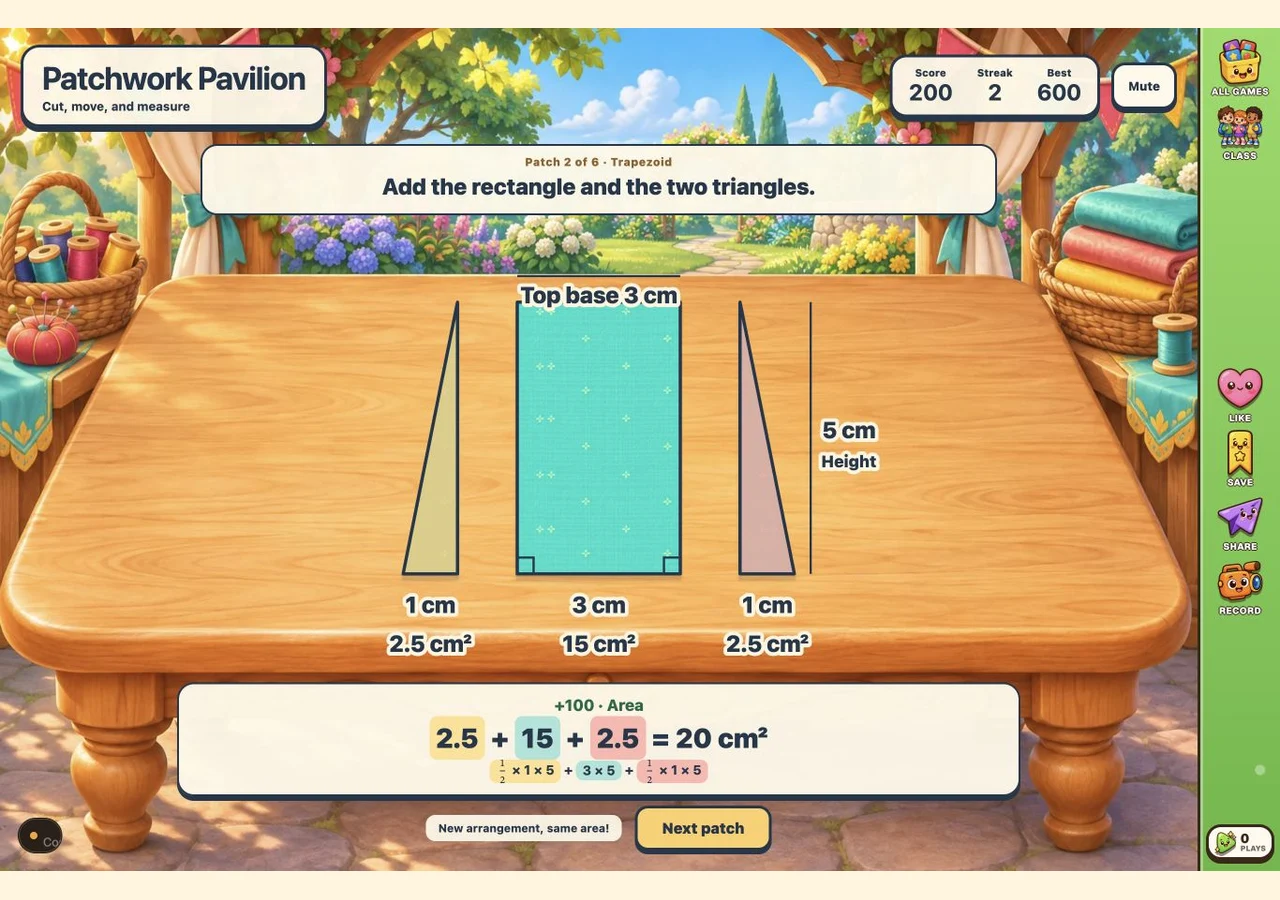
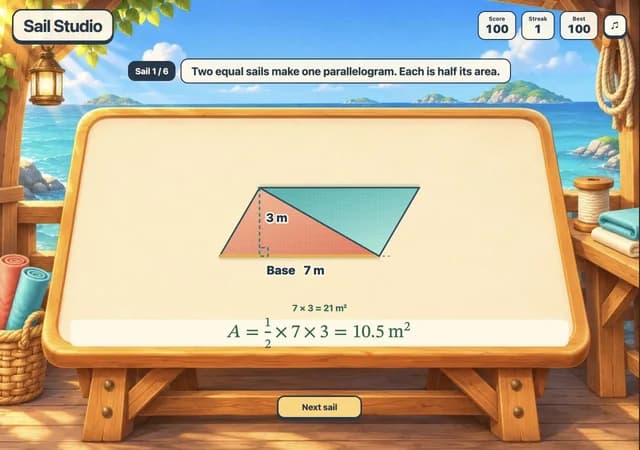
Cut geometric fabric patches in a sunny tailor's pavilion. Move a right triangle to turn a parallelogram into a rectangle, or split a trapezoid into a rectangle and two triangles. The area appears automatically when your construction is complete, connecting each formula to the visible pieces.
More like this
How to Play Patchwork Pavilion
- 1
Read the patch
Play begins immediately. Look at the shape and its labeled dimensions. Height is the perpendicular distance between the parallel bases, not the sloping side.
- 2
Choose a seam
Tap a dashed cut on the fabric, or use Tab and Enter. For a parallelogram, cut off a right triangle. For a trapezoid, make two perpendicular cuts at the ends of the top base.
- 3
Complete the construction
Move a parallelogram's triangle into the empty space at the opposite end. A trapezoid separates automatically after the second valid cut. Incorrect choices give a hint and stay on the same patch.
- 4
Read the area
The completed model calculates the area for you. Read base × height for the rearranged rectangle, or add the rectangle and two triangle areas for the trapezoid. There is no typed answer or extra Check step.
- 5
Next patch and Play again
Choose Next patch after each completed construction. After six patches, Play again resets Score and Streak and deals another run. Best remains saved. Use Mute or Sound to control the music.
Key Features
Cut along the height
Choose dashed seams on the fabric itself. A perpendicular cut creates the right triangle needed for rearrangement. A sloping seam gives a specific hint and lets you retry.
Move without changing area
After cutting a parallelogram, tap the empty space at its opposite end. The triangle slides into place, making a rectangle with the same base, height, and area.
Split a trapezoid
Cut down from both ends of the top base. The pieces spread apart, showing the central rectangle and two right triangles. Their areas and sum appear automatically.
Six patches per run
Alternate parallelograms and trapezoids across six patches. Dimensions vary, and parallelograms can lean either way. Play again draws fresh challenges from a shuffled pool.
Score with room to retry
Each completed patch earns 100 points. A mistake resets Streak but does not remove points. Best and your Sound preference are saved in this browser; the current run is not saved.
What is Patchwork Pavilion?
Patchwork Pavilion is a hands-on area game for the sixth-grade lesson on parallelograms and trapezoids. The fabric pieces form an exact geometric model on an illustrated workbench. Players decide where to cut and where to move a piece; the completed model supplies the calculation. For example, a parallelogram with base 6 cm and perpendicular height 4 cm becomes a 6 cm by 4 cm rectangle. Its area is 6 × 4 = 24 cm². A trapezoid with top base 4 cm, bottom base 8 cm, height 3 cm, and 2 cm extensions on both sides splits into a 12 cm² rectangle and two 3 cm² triangles. Its total area is 12 + 3 + 3 = 18 cm². Cutting and moving fabric never adds or removes any area.
Why Play Patchwork Pavilion?
- 1
Give the height a meaning
The perpendicular cuts and right-angle marks distinguish height from a sloping side, addressing a common area mistake.
- 2
See why base times height works
Moving a triangle changes a parallelogram's outline into a rectangle while preserving all of its fabric.
- 3
Connect parts to a total
The trapezoid's colored pieces correspond directly to the rectangle and triangle terms in its area calculation.
- 4
Practice without a countdown
There is no timer or lives limit. Retry a seam, inspect the result, and continue at your own pace with mouse, touch, or keyboard.
Frequently Asked Questions
Which shapes are included?
Each run has three parallelograms and three trapezoids in alternating order. The dimensions vary, and parallelograms may lean left or right. The trapezoids have a horizontal top base shorter than the bottom base.
Do I enter a numerical answer?
No. You choose cut lines and, for parallelograms, the destination of a triangle. The game calculates the area automatically from the completed construction.
Why is a sloping cut incorrect?
These constructions need right triangles formed by a perpendicular height. The displayed sloping seam does not make the right triangle needed to complete the rectangle or isolate the trapezoid's central rectangle.
How do Score, Streak, and Best work?
Each finished patch adds 100 to Score. Streak counts consecutive patches completed without mistakes; a wrong cut or placement resets it. Best stores the highest Score in this browser. There are six patches, so a completed run scores 600 even if you need retries.
What changes on Play again?
Score and Streak return to zero, and six new patches are drawn from shuffled pools of valid dimensions. Best and the Sound preference stay saved. Reloading also begins a new run; it does not restore an unfinished patch.
Can I play on an iPad or with a keyboard?
Yes. Tap the dashed seams and destination spaces on a tablet, click them with a mouse, or use Tab to focus a control and Enter or Space to activate it. There is no dragging requirement or typed input.