How to Use the Typing Speed Test
- 1
Configure Your Test
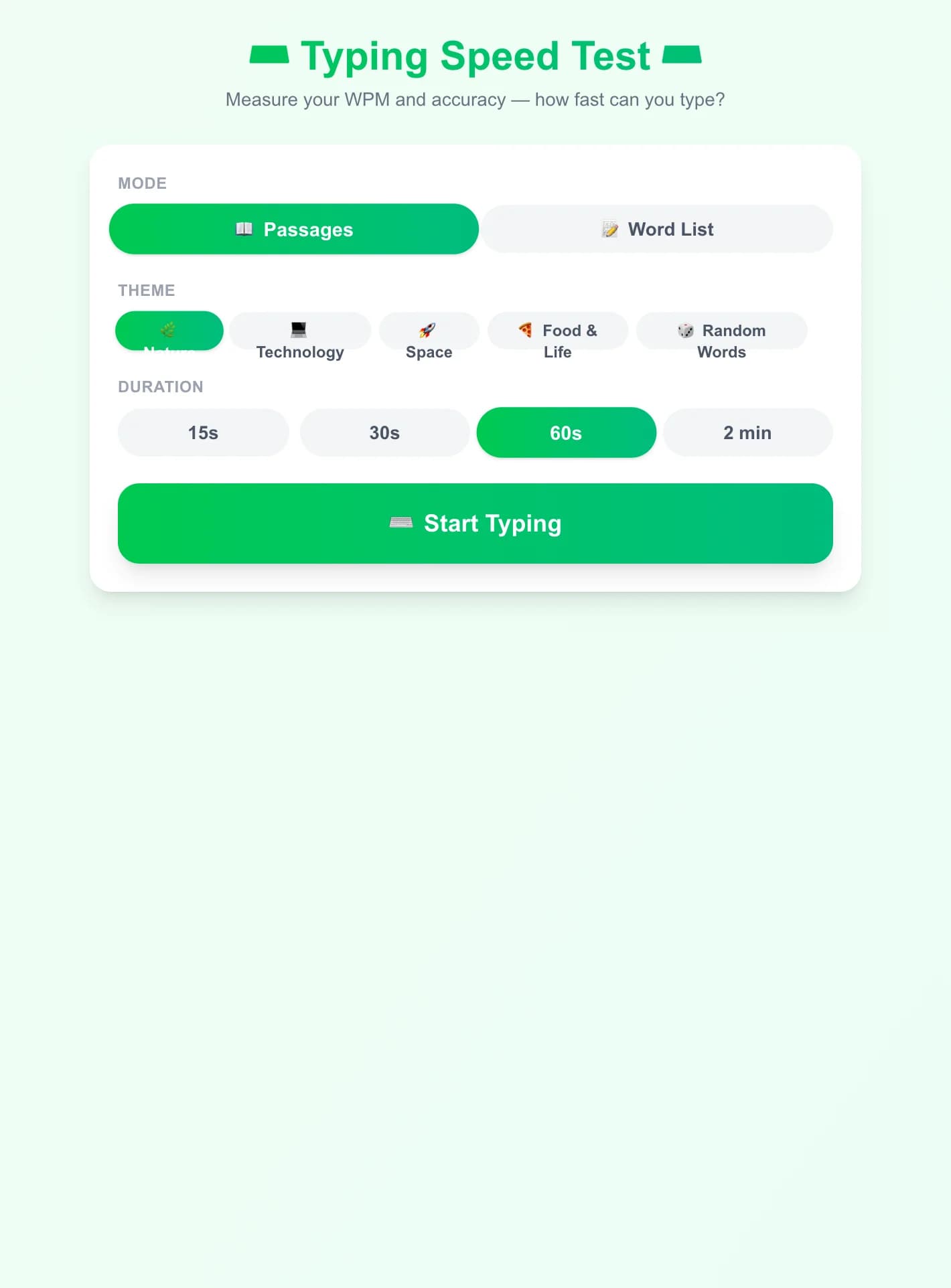
Choose Passages or Word List mode, pick a theme or difficulty, and select your timer duration (15s, 30s, 60s, or 2 min).
- 2
Start Typing
Click 'Start Typing' to focus the input, then begin typing the highlighted text. The timer starts automatically with your first keystroke.
- 3
Follow the Highlights
Correctly typed characters appear in dark gray. Mistakes turn red. The cursor position is underlined in the theme color. Stay focused on the text ahead, not the keyboard.
- 4
View Your Results
When time runs out (or you finish the text), your results appear: final WPM, accuracy percentage, error count, correct characters, and your all-time best WPM.
Key Features
Real-Time WPM & Accuracy
See your live words-per-minute and accuracy percentage update as you type. Character-by-character highlighting shows correct (gray) and incorrect (red) keystrokes instantly.
Two Typing Modes
Passages mode presents flowing sentences on Nature, Technology, Space, or Food themes — ideal for natural typing practice. Word List mode gives you isolated words from Easy, Medium, or Hard difficulty sets.
Flexible Timer
Choose from 15 seconds (quick burst), 30 seconds, 60 seconds (standard WPM test), or 2 minutes for endurance practice. The timer only starts when you begin typing.
Personal Best Tracking
Your highest WPM is saved locally. Beat it on subsequent tests and you'll see a personal best notification on the results screen.
What is a Typing Speed Test?
A typing speed test measures how many words you can correctly type in one minute (WPM — Words Per Minute). The standard calculation counts every 5 characters as one word, so longer words aren't unfairly penalized. Accuracy is equally important: a high WPM with many errors is less valuable than steady, accurate typing. This test offers both passage-style typing (flowing text similar to real-world writing) and isolated word lists (great for drilling specific difficulty levels), making it suitable for beginners building finger habits and advanced typists aiming for higher speeds.
Why Practice Typing Speed?
- 1
Boost Productivity
Faster, more accurate typing translates directly into getting more done — writing emails, coding, taking notes, and chatting all become smoother and less mentally taxing.
- 2
Track Real Progress
The personal best tracker lets you see concrete improvement over sessions. Even a few minutes of daily practice can raise your WPM noticeably within weeks.
- 3
Themes Keep It Engaging
Reading about space, food, tech, or nature while typing keeps the experience interesting rather than repetitive — you learn something new while you practice.
- 4
Accessible & No Install Required
Works in any browser on any computer with a physical keyboard — no registration, no download, and no ads interrupting your flow.
Frequently Asked Questions
How is WPM calculated?
WPM = (total correct characters ÷ 5) ÷ elapsed minutes. Dividing by 5 normalises for varying word lengths, treating every 5 characters as one standard 'word'. Only correctly typed characters count.
When does the timer start?
The countdown starts the moment you type your first character, not when you open the test. This means you can read the text first without losing time.
What's a good WPM score?
Average typists reach 40-60 WPM. Touch-typists typically score 60-80 WPM. Professional typists and coders often hit 80-100+ WPM. Top competitive typists exceed 150 WPM.
Can I use this on a phone?
The test works best on a physical keyboard (desktop or laptop). On mobile, the on-screen keyboard covers the text and auto-correct interferes with accurate measurement.
What is the difference between Passages and Word List modes?
Passages mode gives you coherent sentences — more natural but requires reading comprehension. Word List mode gives you individual isolated words, useful for drilling specific difficulty levels without needing to follow a sentence's meaning.
How do I improve my WPM?
Practice consistently: 10-15 minutes daily beats irregular long sessions. Focus on accuracy first — speed naturally follows. Learn touch typing (home row position) if you haven't already, and don't look at the keyboard while typing.