Virtueller Gong
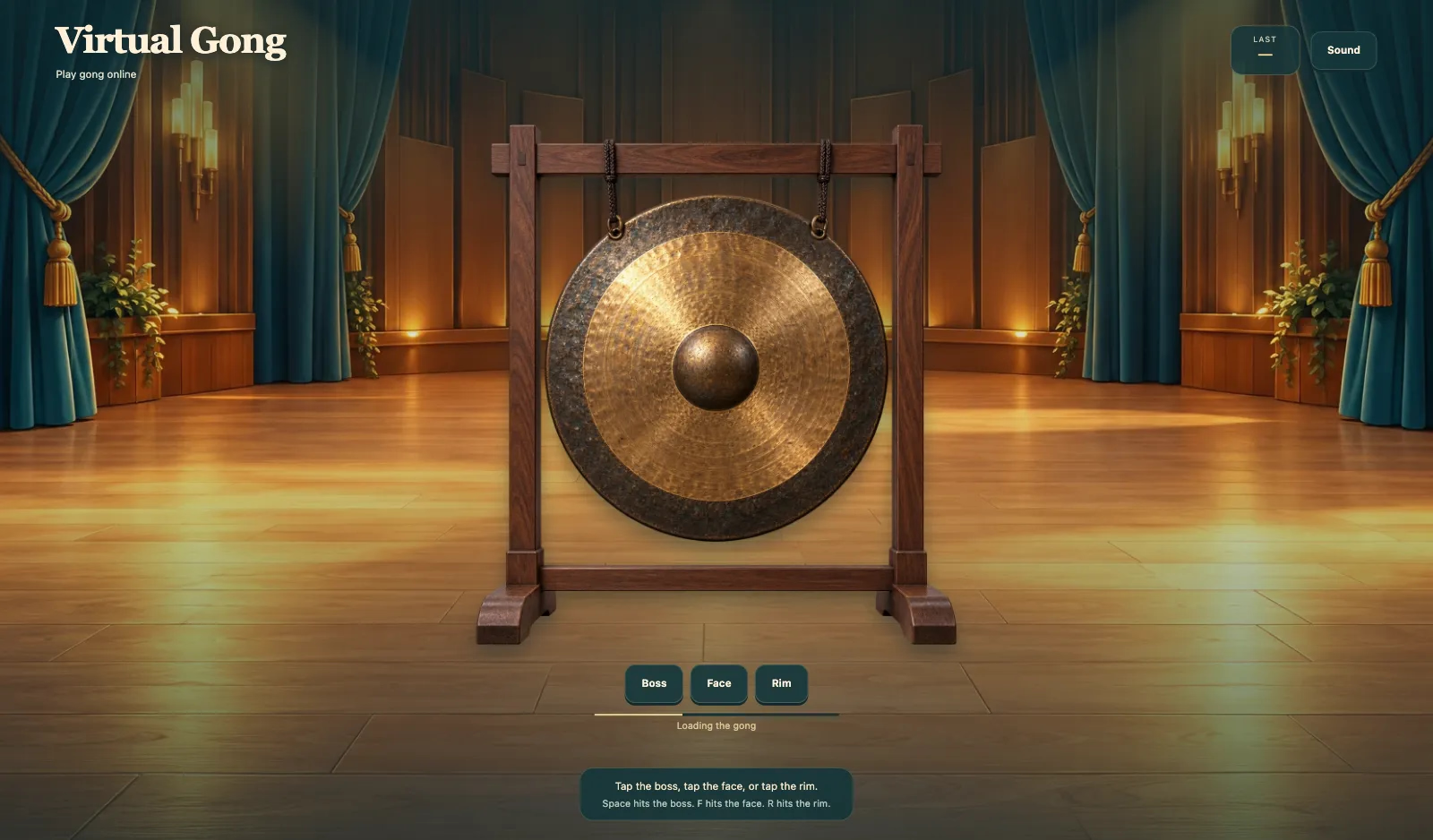
Spiele Gong online. Tippe Buckel, tippe Fläche oder tippe Rand. Zuletzt zeigt Buckel, Fläche oder Rand. Leertaste trifft Buckel. F trifft Fläche. R trifft Rand. Ton und Stumm sitzen auf der Leiste. Nach Gong wird geladen ist die Scheibe bereit.
Mehr wie dieses

So spielst du Virtueller Gong
- 1
Warte auf Gong wird geladen
Öffne Virtueller Gong und warte, bis Gong wird geladen fertig ist.
- 2
Tippe Buckel, tippe Fläche oder tippe Rand.
Tippe Buckel, tippe Fläche oder tippe Rand. Zuletzt zeigt Buckel, Fläche oder Rand.
- 3
Leertaste trifft Buckel. F trifft Fläche. R trifft Rand.
Leertaste trifft Buckel. F trifft Fläche. R trifft Rand.
- 4
Nutze Ton oder Stumm
Ton und Stumm sitzen auf der Leiste. Schalte den Ton aus, wenn du eine stille Scheibe brauchst.
Hauptfunktionen
Spiele Gong online
Virtueller Gong ist eine hängende Bronzescheibe. Tippe Buckel, tippe Fläche oder tippe Rand.
Buckel, Fläche, Rand
Buckel ist die erhabene Mitte. Fläche ist das Bronzefeld. Rand ist die Kante. Zuletzt zeigt Buckel, Fläche oder Rand.
Leertaste trifft Buckel. F trifft Fläche. R trifft Rand.
Leertaste trifft Buckel. F trifft Fläche. R trifft Rand. Ton und Stumm sitzen auf der Leiste.
Gong wird geladen
Warte, bis Gong wird geladen fertig ist. Dann klingt die Scheibe.
Häufig gestellte Fragen
Wie spiele ich Virtueller Gong?
Tippe Buckel, tippe Fläche oder tippe Rand.
Was machen Buckel, Fläche und Rand?
Buckel ist die erhabene Mitte. Fläche ist das Bronzefeld. Rand ist die Kante. Zuletzt zeigt das, was du gerade gespielt hast.
Welche Tasten spielen Virtueller Gong?
Leertaste trifft Buckel. F trifft Fläche. R trifft Rand.
Was zeigt Zuletzt?
Zuletzt zeigt Buckel, Fläche oder Rand.
Warum steht Gong wird geladen?
Virtueller Gong weckt zuerst die Scheibe. Dann kannst du den Buckel tippen.