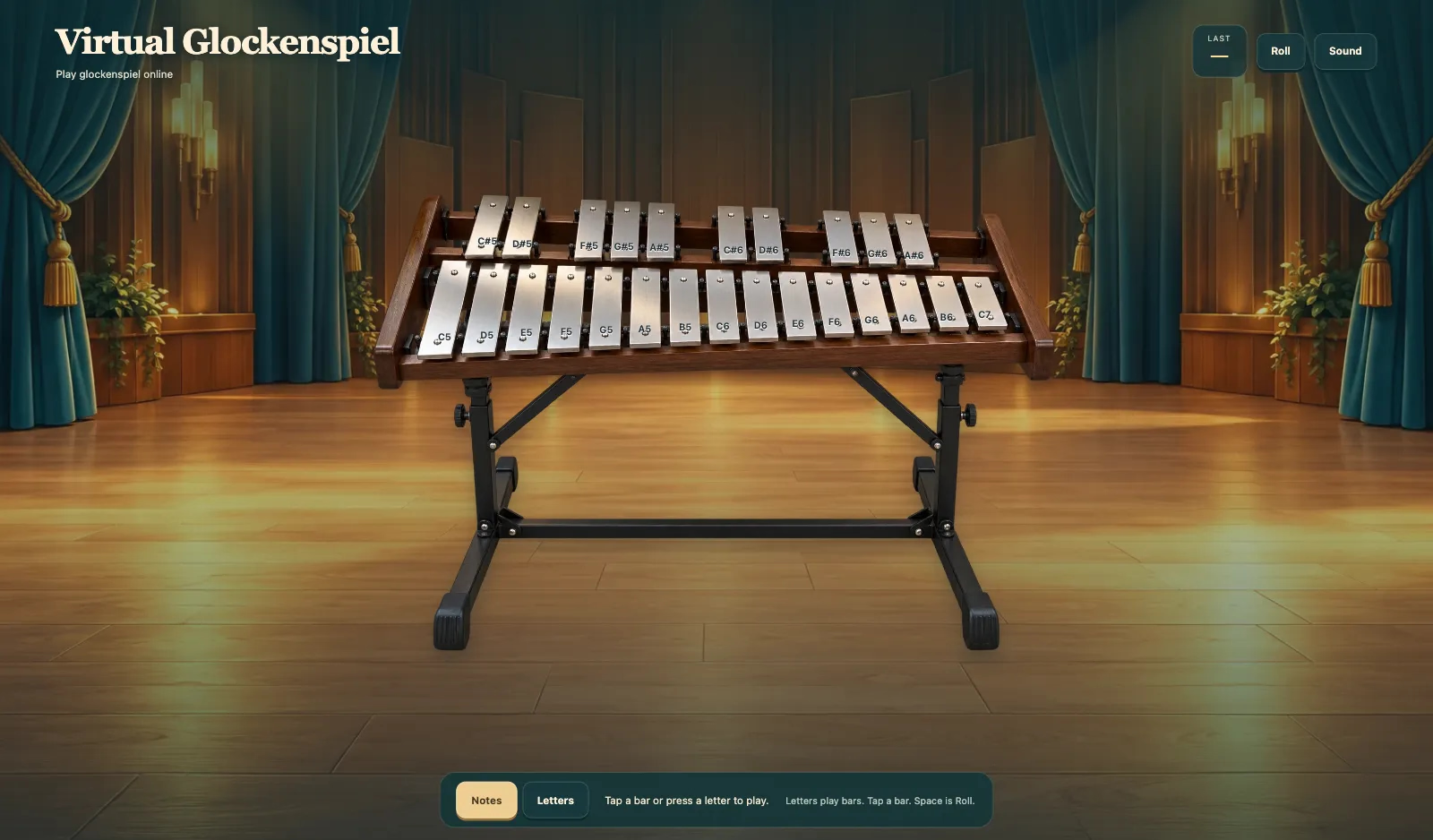
Virtual Glockenspiel
Play a virtual glockenspiel in your browser. Tap a bar or press a letter to play. Notes and Letters label the bars. Last shows the note you just played. Space is Roll. Sound and Mute sit on the HUD. After Loading the glockenspiel, the metal bars are ready from low C to a high C.
More like this
How to play Virtual Glockenspiel
- 1
Wait for Loading the glockenspiel
Open Virtual Glockenspiel and wait until Loading the glockenspiel finishes. The mint bar fills, then the bars are ready.
- 2
Tap a bar or press a letter to play
Tap a bar or press a letter to play. Last shows the note you just played.
- 3
Space is Roll
Space is Roll. It rings the last note in a quick roll. Switch Notes or Letters on the bars.
- 4
Use Sound or Mute
Sound and Mute sit on the HUD. Turn sound off if you need a quiet set of bars.
Key Features
Play glockenspiel online
Virtual Glockenspiel is a real set of bars. Tap a bar or press a letter to play.
Roll, Notes, and Letters
Space is Roll. Switch Notes or Letters on the bars. Last shows the note you just played.
Metal bars
Metal bars run from low C to a high C. Sound and Mute sit on the HUD.
Loading the glockenspiel
Wait until Loading the glockenspiel finishes. The mint bar fills, then every bar rings.
Frequently Asked Questions
How do I play Virtual Glockenspiel?
Tap a bar or press a letter to play. Space is Roll.
What do Notes and Letters do?
Notes puts note names on the bars. Letters puts the computer keys those bars play.
What is Roll?
Space is Roll. Roll rings the last note in a quick roll.
What does Last show?
Last shows the note you just played.
Why does it say Loading the glockenspiel?
Virtual Glockenspiel loads sampled bars first. The mint bar fills, then you can tap a bar.