BrowserFun
ExploreNew GamesAll GamesFor teachersJoin classCoaches
  • Home
  • Explore
  • New Games
  • Games
BrowserFun

Free educational games for every classroom.

Explore

  • Explore
  • All Games
  • Teacher Tools
  • New Games
  • For teachers
  • Classroom guide
  • Join class
  • All categories

Legal

  • Privacy Policy
  • Terms & Conditions
  • Cookie Policy
  • Disclaimer

© 2026 BrowserFun. All rights reserved.

  1. Home
  2. Games
  3. Online Metronome

Online Metronome

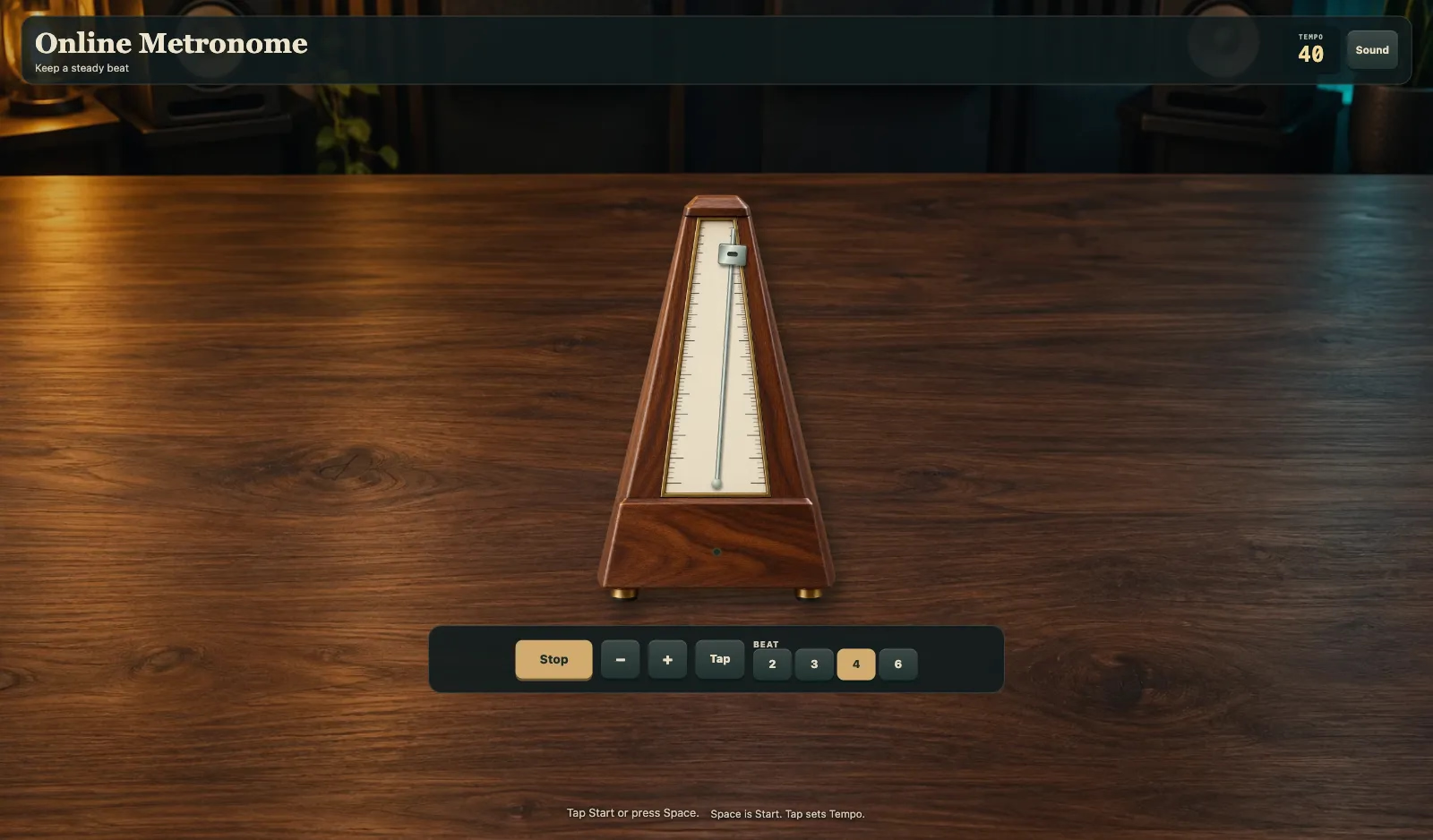
Keep a steady beat in your browser. Tap Start or press Space. Tempo sets how fast the clicks go. Beat chooses 2, 3, 4, or 6. Tap sets Tempo from your taps. Sound and Mute sit on the HUD. After Loading the metronome, the pendulum is ready.

MusicPre-K–8th

More like this

Virtual Drum Machine

Virtual Drum Machine

Virtual Glockenspiel

Virtual Glockenspiel

Virtual Gong

Virtual Gong

Virtual Guitar

Virtual Guitar

Virtual Handpan

Virtual Handpan

Virtual Kalimba

Virtual Kalimba

How to use Online Metronome

  1. 1

    Wait for Loading the metronome

    Open Online Metronome and wait until Loading the metronome finishes.

  2. 2

    Tap Start or press Space

    Tap Start or press Space. Stop ends the clicks. Space is Start.

  3. 3

    Set Tempo and Beat

    Tempo sets how fast the clicks go. Beat chooses 2, 3, 4, or 6. Tap sets Tempo from your taps.

  4. 4

    Use Sound or Mute

    Sound and Mute sit on the HUD. Turn sound off if you only want the pendulum.

Key Features

  • Keep a steady beat

    Online Metronome is a real practice metronome. Tap Start or press Space.

  • Start, Tempo, and Beat

    Space is Start. Tempo sets the speed. Beat chooses 2, 3, 4, or 6. Tap sets Tempo.

  • Pendulum and clicks

    The pendulum swings on each click. Sound and Mute sit on the HUD.

  • Loading the metronome

    Wait until Loading the metronome finishes. Then Start is ready.

Frequently Asked Questions

How do I use Online Metronome?

Tap Start or press Space. Space is Start.

What is Tempo?

Tempo sets how fast the clicks go. Tap sets Tempo from your taps.

What is Beat?

Beat chooses 2, 3, 4, or 6. The first click of each group is louder.

What does Tap do?

Tap sets Tempo from the speed of your taps.

Why does it say Loading the metronome?

Online Metronome wakes the click first. Then you can tap Start.