Grams and Kilograms Balance
Mass Market
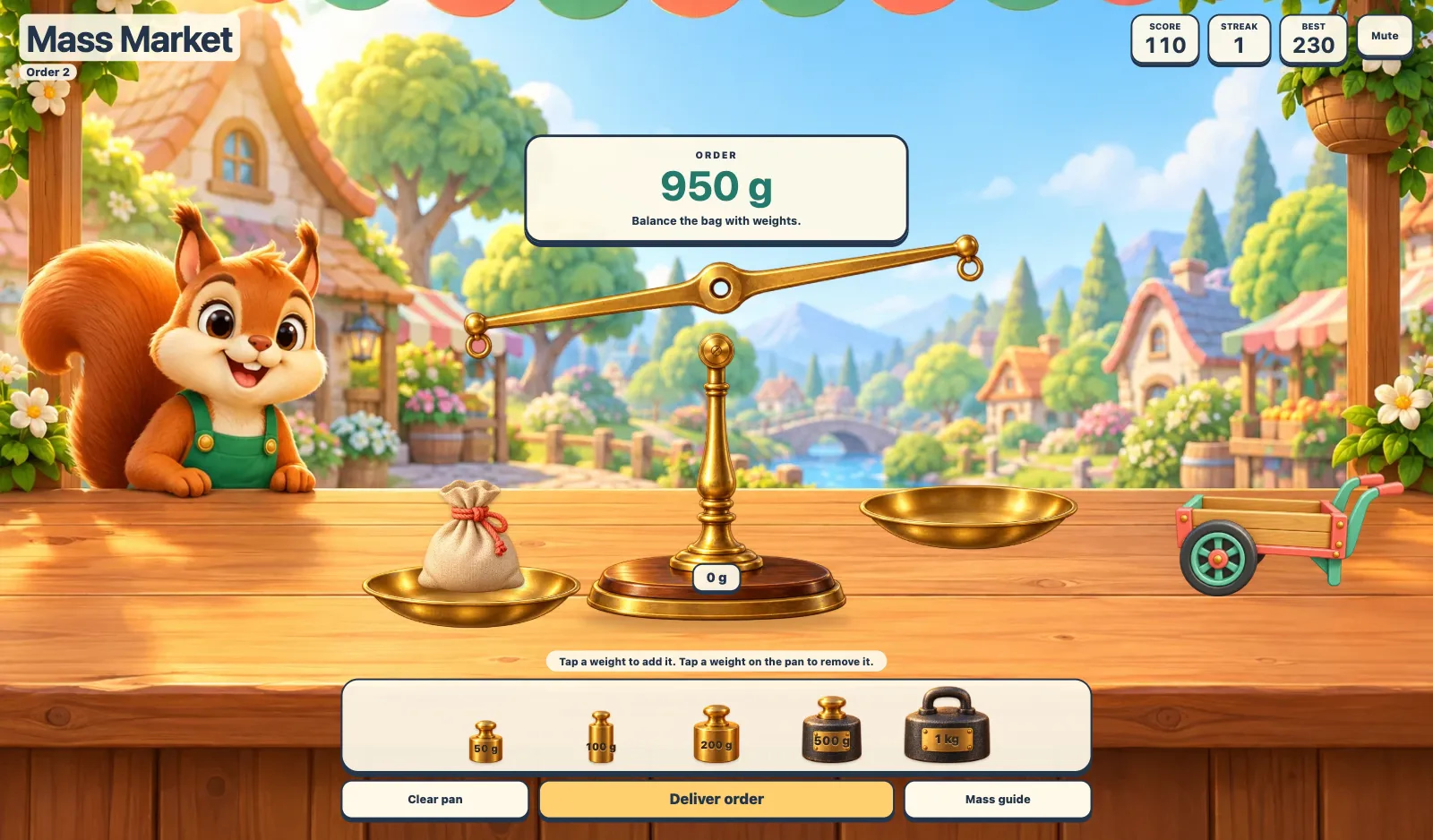
Weigh an endless stream of woodland market orders by adding and removing weight pieces on a moving balance. Every order gets a random mass in grams, kilograms, or mixed units, with no immediate repeats. Deliver the balanced bag onto the cart and watch it roll away.
More like this
How to play Mass Market
- 1
Read the order
Look at the mass above the balance. Use Mass guide to review 1,000 g = 1 kg.
- 2
Balance the bag
Tap weights to add them. Tap a weight on the pan to remove it, or use Clear pan. Keyboard shortcuts 1–5 add weights and Backspace removes the last one.
- 3
Deliver order
Choose Deliver order when the pans balance. The bag flies onto the top of the cart, then the loaded cart rolls away. Choose Next order for a different random mass and keep playing.
Key Features
A moving balance
Tap weights to place them on the right pan, then tap placed weights to remove them. The pans tilt as mass changes.
Grams and kilograms
New orders randomly use grams, whole kilograms, or mixed kilogram and gram amounts, up to 5 kg. Every target can be balanced with six weights or fewer. Mass guide gives familiar benchmarks.
Endless random orders
Keep delivering new orders without a final round or timer. Earn points, build a streak, and save a best score. Mistakes give helpful feedback and allow another try.
Frequently Asked Questions
What does the game teach?
Measuring and comparing mass in grams and kilograms, combining weights, and understanding that 1,000 g equals 1 kg.
Can children play on tablets or with a keyboard?
Yes. All pieces are tap targets and focusable buttons. Use Tab and Enter, or shortcuts 1–5, Backspace, and Enter outside a button.
Is there a timer?
No. Children can experiment with the balance and retry each order at their own pace.