Kite Tail Workshop
Line up colorful fabric ribbons at zero, read quarter-inch measurements, and stamp one X onto a line plot for each ribbon. Build a real kite tail, find the most common length, and send three kites into the sky.
More like this





How to play Kite Tail Workshop
- 1
Measure a ribbon
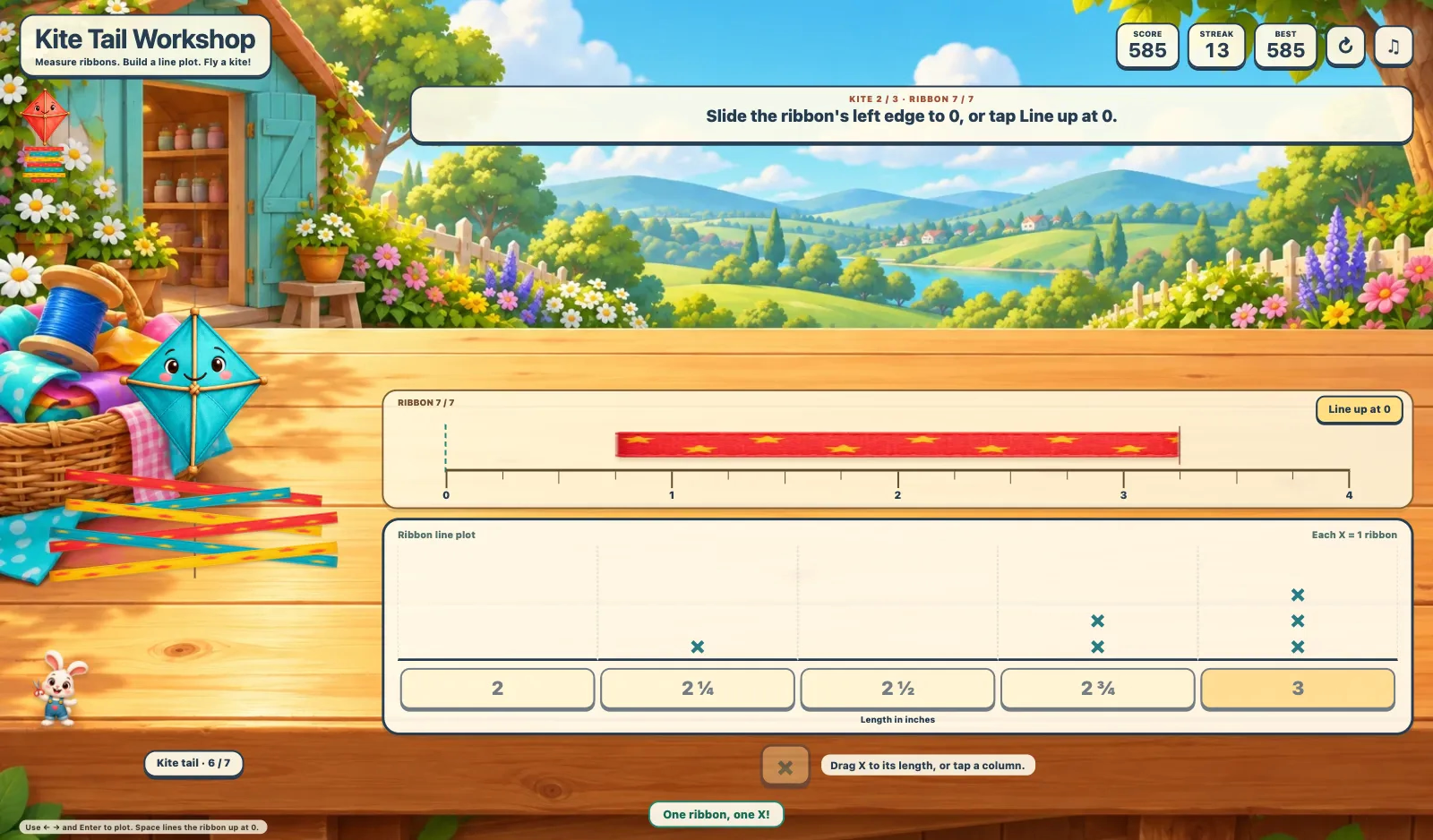
Slide the ribbon to zero or tap Line up at 0. Read its right end on the ruler, marked in quarter inches.
- 2
Build the line plot
Drag the X stamp to the matching column or tap its length. Each X = 1 ribbon. Record seven ribbons and watch the kite tail grow.
- 3
Fly a kite
Choose the length with the most Xs to launch the kite. Use Next kite to complete three plots.
Key Features
Measure and plot
Slide or tap each ribbon to line it up at zero, then drag an X onto the plot or tap the matching length.
Launch three kites
Each measured ribbon adds to your kite tail. Read three varied datasets and choose the tallest stack to launch each kite.
Learn through play
Mouse, touch and keyboard controls, helpful feedback, scores, streaks and a saved best score.
Frequently Asked Questions
What does each X mean?
Each X represents one measured ribbon. Equal lengths stack above the same number.
Which measurements appear?
The plot uses 2, 2 1/4, 2 1/2, 2 3/4 and 3 inches. The ruler starts at zero and shows quarter inches.
Can I use the keyboard?
Use left and right arrows to choose a column and Enter to place an X or launch the kite. Press Space to line up a ribbon at zero. Buttons also support Tab and Enter.