Pipe Inspection Crawler
Send a small crawler through a cutaway pipe. Stop at three marked defects, rotate the inspection camera to the correct angle, record each site, and return to the entry.
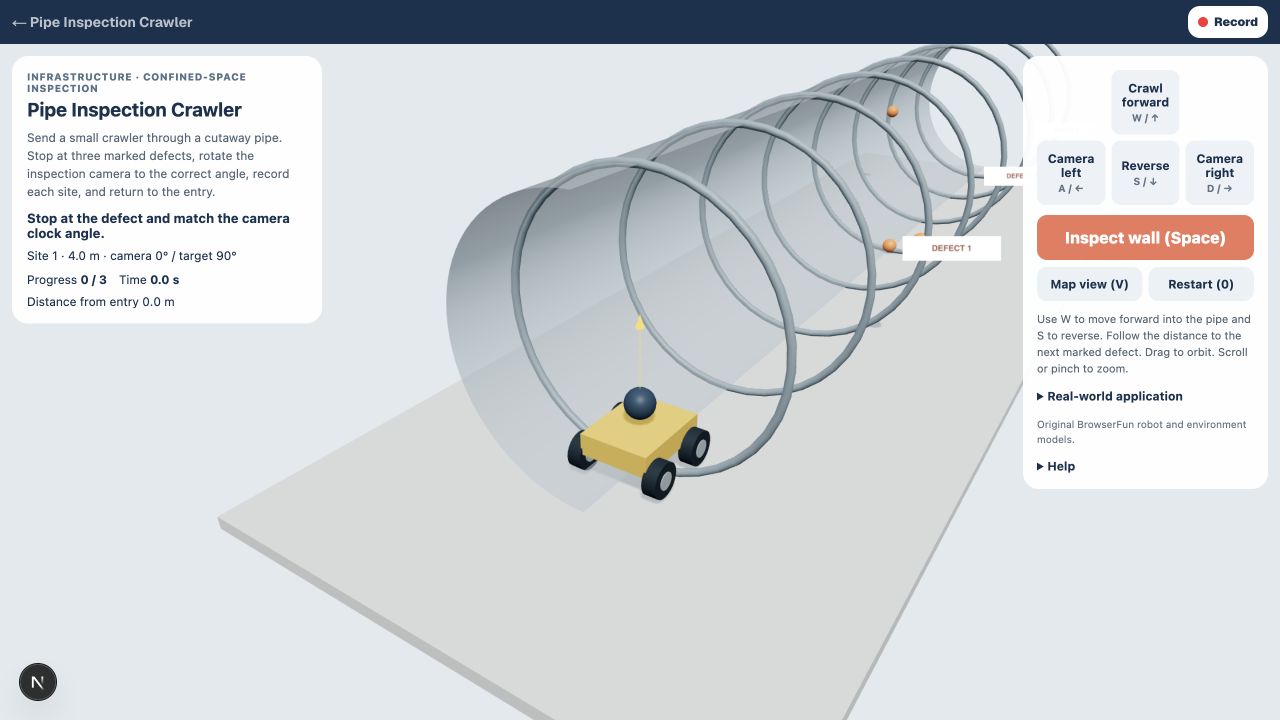
How to play Pipe Inspection Crawler
- 1
Crawl to a defect
Use W to move forward into the pipe and S to reverse. Follow the distance to the next marked defect.
- 2
Aim the camera
Use A and D to rotate the camera around the pipe wall. Match the displayed target angle, stop, and press Inspect or Space. Stay aligned while the inspection finishes.
- 3
Return with the records
Inspect all three defects, then reverse back to the entry and stop. Use the view button to switch between following the crawler and viewing the whole pipe.
الميزات الرئيسية
Infrastructure · confined-space inspection
Inspection crawlers carry cameras into spaces that are difficult to access. This cutaway visualization teaches distance tracking and camera orientation without hiding the robot inside an opaque pipe.
Keyboard and touch controls
Use the on-screen controls or keyboard shortcuts. Restart begins a fresh mission.
الأسئلة المتكررة
Is this a real robot controller?
No. This is a simplified educational simulation. It does not connect to physical robots or reproduce real operating procedures.